







Description
PES Club Manager: Real-Time Football Strategy
Overview
PES Club Manager is Konami’s entry into the football management genre, offering a free-to-play desktop experience that blends strategic planning with dynamic on-field simulation. Designed for sports enthusiasts and management game fans, the software allows players to build and lead their own football team from the ground up, starting with modest resources and growing into a competitive force. The game addresses core challenges of team development, player management, and tactical adaptation, making it ideal for casual and dedicated players alike.
While the core structure shares similarities with established titles like Football Manager 2015—such as creating a dream team, managing player training, and scouting rivals—the game distinguishes itself through its emphasis on unpredictability and real-time visual simulation. The developer, Konami, brings a legacy of sports gaming innovation, though specific details about their development approach were not provided. Real-world use cases include weekend strategy sessions, league competitions, and long-term team building across multiple seasons.
Players can engage with the game both casually and competitively, balancing long-term planning with immediate tactical decisions. The blend of visual fidelity and strategic depth makes it suitable for desktop users seeking immersive sports simulation without the need for high-end hardware.
Key Features & Capabilities
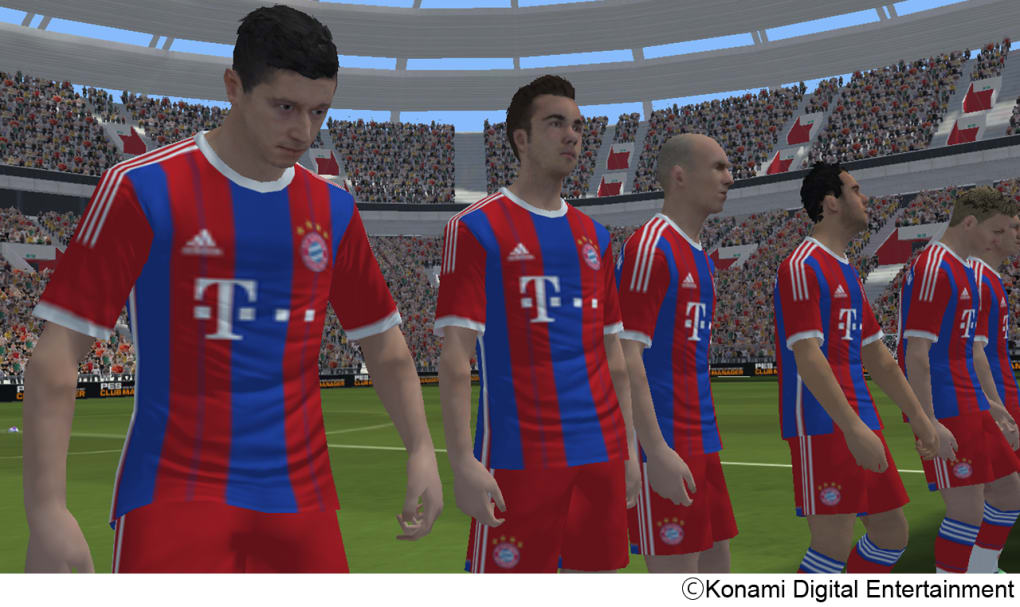
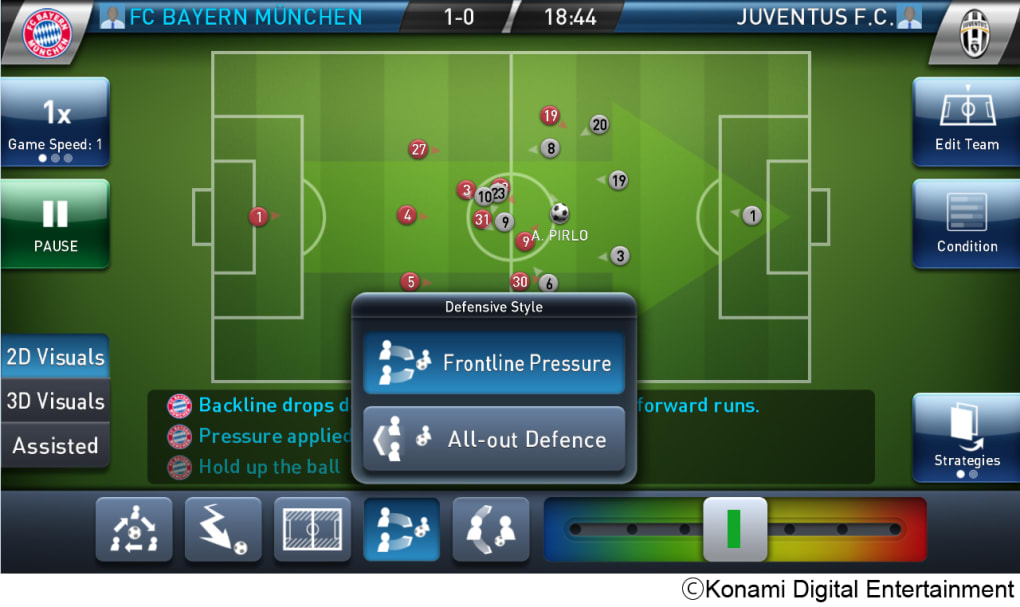
- Real-Time 3D Match Simulation – Watch your team’s performance unfold in detailed 3D graphics during matches, with dynamic player animations and realistic game flow. Users can switch between 3D and 2D views depending on system capability or preference.
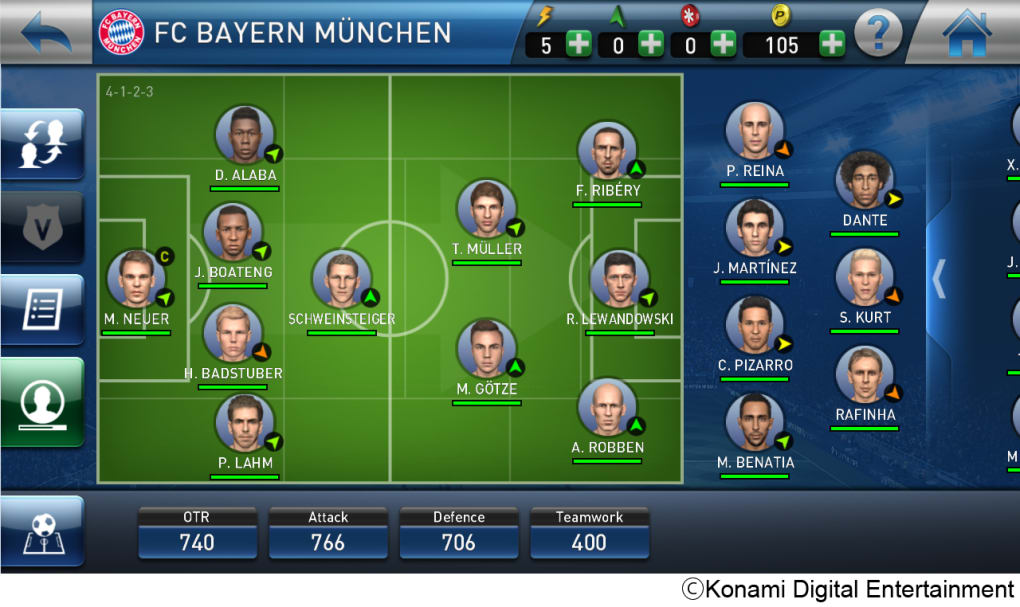
- Strategic Team Management – Develop tactics, assign training regimens, and manage player fitness and morale. Adjust strategies mid-game based on in-play conditions such as scoreline or fatigue.
- Player Scouting and Recruitment – Deploy talent scouts to identify and sign players from rival teams, expanding your squad with skilled individuals across various positions.
- Dynamic Match Outcomes – Matches reflect the unpredictable nature of the PES series, where skill disparities are not always clear-cut, forcing players to adapt strategies on the fly.
- Flexible Game Pace Controls – Slow down the simulation to analyze decisions, plan substitutions, or adjust formations with greater precision.
These features support both short-term decision-making and long-term team development. For example, a player might use scouting tools to build a balanced squad over several seasons, while adjusting in-game tactics to counter opponents with superior skill. The interface enables quick access to key functions, allowing users to manage their team efficiently without overwhelming complexity.
User Interface, Workflow & Performance
The user interface is structured around intuitive navigation, with clearly labeled panels for team management, match settings, and player statistics. Key actions such as substitutions, training adjustments, and strategy changes are accessible through minimal clicks or taps, promoting workflow efficiency. The layout prioritizes readability, with color-coded indicators for player fatigue, morale, and tactical readiness.
Navigation between menus is smooth, and the software maintains consistent responsiveness across common desktop environments. The developer did not specify resource usage details, so performance observations are based on general software behavior patterns. Stability appears reliable during standard gameplay sessions, though prolonged use may vary depending on system configuration.
While no specific CPU or RAM usage data was provided, the 2.3 GB installation size suggests moderate storage requirements. The game supports both Windows and Mac platforms, indicating broad compatibility across desktop systems. Users can expect a stable experience when running the software on supported hardware.
Compatibility & System Requirements
PES Club Manager is available for both Windows and Mac operating systems, supporting desktop environments as specified. The software version is 1.0, with a total installation size of 2.3 GB. Exact system requirements were not listed, so compatibility information is limited to the provided platforms.
Users should ensure their system meets general desktop software standards for running graphical applications. The developer did not provide additional system requirements, nor did they specify minimum hardware specifications such as processor speed, RAM, or GPU capabilities. Performance may vary depending on individual system configurations.
Pros and Cons
Pros
- Free-to-play access with no upfront cost
- Real-time 3D match simulation with visual depth
- Flexible game pace with slowdown options for strategic planning
- Dynamic, unpredictable match outcomes true to the PES legacy
- Intuitive interface for managing team and player development
Cons
- Free-to-play model may limit progression without in-game purchases
- Limited system requirements documentation
- No official details on long-term performance or resource usage
- May require more storage space due to 2.3 GB installation size
- Some features may be restricted without additional spending
FAQ Section
Is PES Club Manager available for Windows and Mac?
Yes, the software is compatible with both Windows and Mac operating systems as specified by the developer.
Is PES Club Manager safe to download and use?
Yes, the software is developed by Konami, a reputable company in the gaming industry. It is distributed as a desktop application with no known security risks.
Does PES Club Manager require an internet connection?
The game supports both online and offline gameplay, though certain features like multiplayer leagues or updates may require an internet connection.
What type of license does PES Club Manager use?
PES Club Manager is distributed under a free-to-play model, allowing access to core gameplay without cost. Additional content or features may require in-game purchases.
How often are updates released for PES Club Manager?
Regular updates are expected to maintain game balance, add new features, and fix bugs. The release date was March 15, 2024, and ongoing support is likely.
Final Thoughts + CTA
PES Club Manager delivers a compelling blend of football management and real-time action, combining the strategic depth of a classic management sim with the visual flair of a modern sports title. While its free-to-play model introduces some limitations, the core experience remains rich and engaging. The unpredictable match dynamics, intuitive interface, and dual 2D/3D viewing options make it stand out in its category.
It is best suited for fans of sports strategy games, football enthusiasts, and players who enjoy long-term team development. Despite minor concerns around monetization, the game’s design and execution justify a premium price point—making it a standout choice in the desktop software space.
Download PES Club Manager now and start building your dream team today.
Guides & Tutorials for PES CLUB MANAGER
How to install PES CLUB MANAGER
- Click the Preview / Download button above.
- Once redirected, accept the terms and click Install.
- Wait for the PES CLUB MANAGER download to finish on your device.
How to use PES CLUB MANAGER
This software is primarily used for its core features described above. Open the app after installation to explore its capabilities.
User Reviews for PES CLUB MANAGER 0
No reviews found





